A shared gallery for your event
Every guest’s photos.One gallery.
Share a link or QR code. Guests add photos and videos in the browser.
Hosts sign up. Guests use the link.
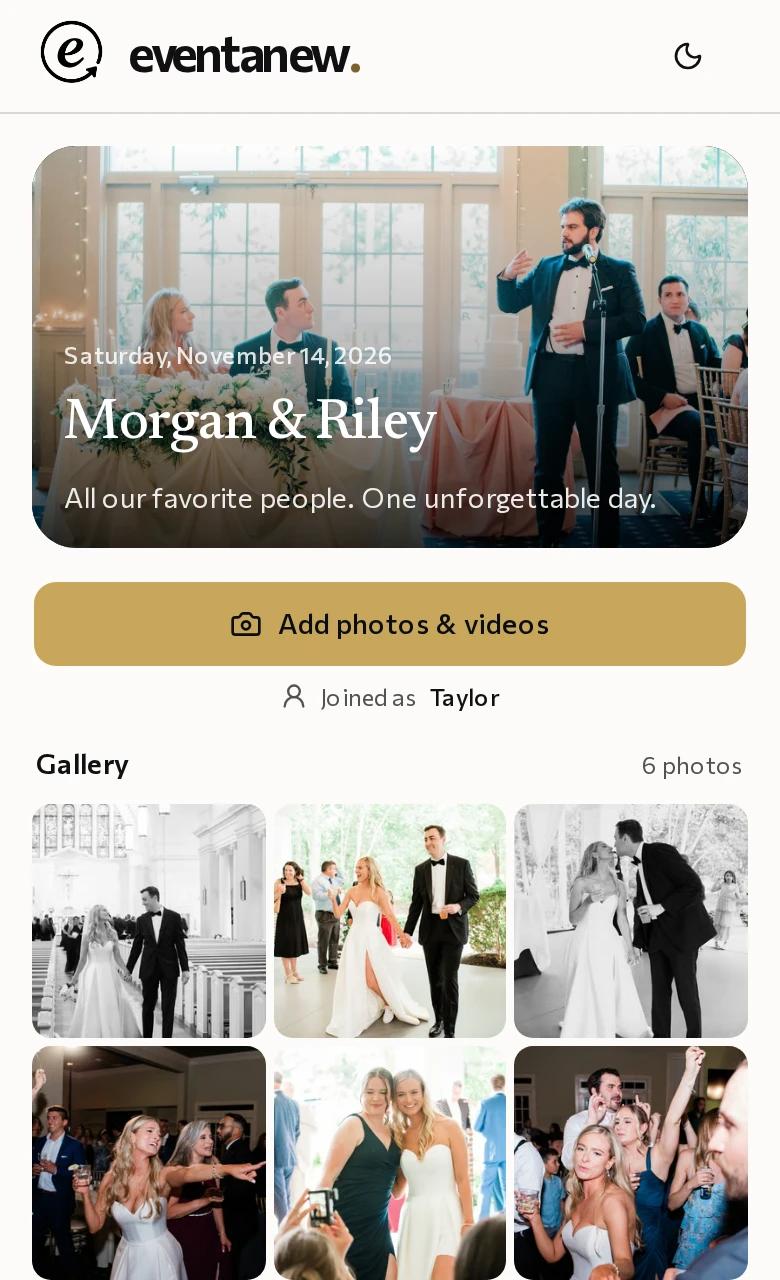
- One gallery for every guest
- No app to download
- A free event to start
Weddings, birthdays, reunions, and team events.
How it works
Three steps to one gallery.
- 01
Create your event
Choose who can view the gallery and who can add to it.
- 02
Share a link or QR code
Guests contribute from their browser.
- 03
Keep the gallery
See every contribution. Downloads follow your plan.
Your settings
You choose who gets in.
Set access before you share the link.
Example photos · Select one to open
Link only, or ask guests to sign in · Review what guests add · Downloads follow your plan
Do I need an account?
Yes. You create a free account to host an event. Guests use your link in their browser. Some access settings ask a guest to verify an email or sign in.
Do guests need to download an app?
No. Guests open your event link or scan its QR code and use their browser to view and contribute.
Can I control who sees and adds photos?
Yes. You choose who can view and who can add. An unlisted link can still be forwarded, so pick the access that fits the gathering. Controls depend on your plan.
Can we share videos, too?
Yes. Guests can add photos and videos. Upload, storage, and retention limits depend on your plan.
Can I start with a free event?
Yes. A free event is enough to start. Compare passes and subscriptions on the pricing page when the gathering needs more.
Your gallery starts here
Start your shared gallery.
Free to start. No app for guests.